
Image generation API: when to use templates and when to use AI
AI image models and template image APIs both make images from an API call, but they solve different problems. Here's how to choose, with examples and a checklist.
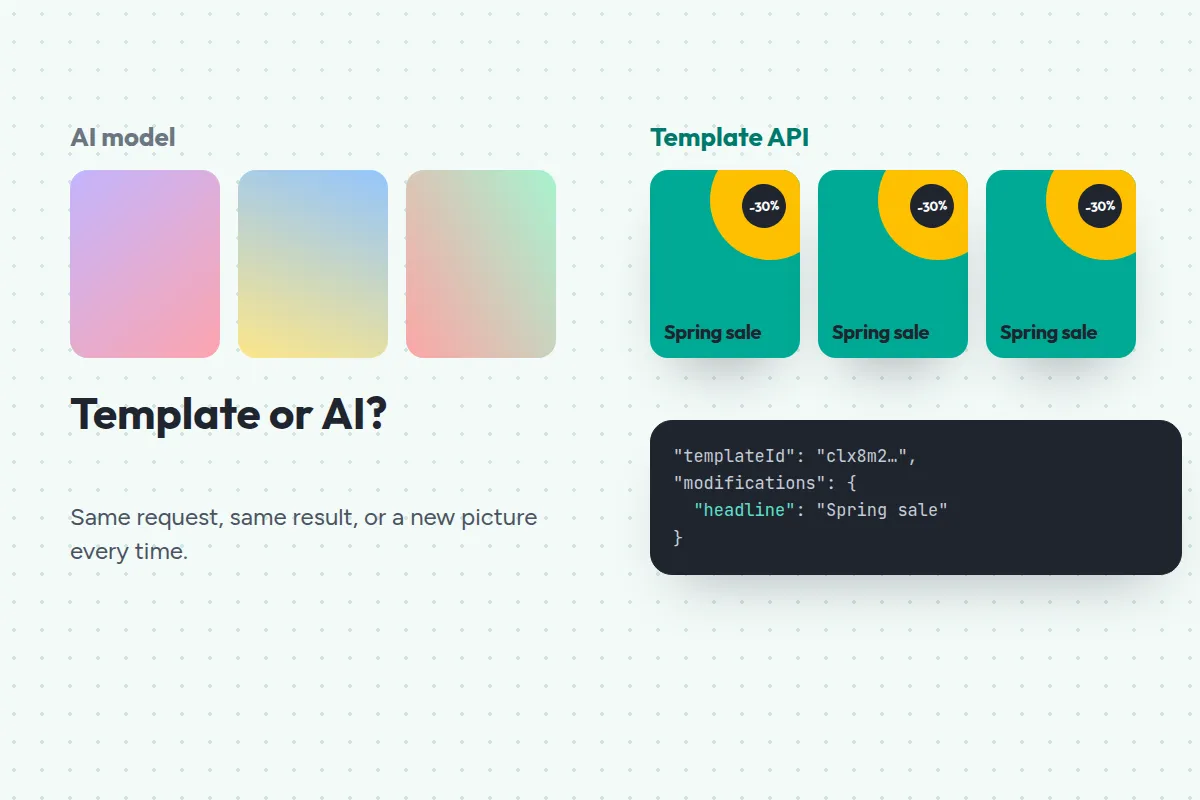
Search for “image generation API” and you’ll find two very different kinds of product under the same name. One kind invents a new picture from a text prompt. The other fills a design you made with new data. Both take a request and return an image, so it’s easy to pick the wrong one.
This guide explains the difference, when each one fits, and how to use both together.
Two kinds of image generation API
AI image models take a prompt, like “a glass of cold brew on a marble table, morning light”, and draw a new image from scratch. Every call can give a different result.
Template image APIs take a design you’ve already made and the values that change, like a headline, a price and a photo URL. They render the same design with your values, the way a mail merge fills a letter.
JamFrame is a template image API, with AI available inside the template when you want it.
How an AI image model behaves
AI models are remarkable at inventing things that don’t exist yet: illustrations, backgrounds, product shots of a product you haven’t photographed.
They’re less suited to brand work:
- The look changes from run to run. The same prompt gives a different composition, colour and style each time.
- Text is unreliable. Words inside the image can come out misspelled or garbled.
- Brand details are approximate. You can describe your colours and fonts, but you can’t make the model use them exactly.
- Changing the design means changing every prompt, then re-running them.
How a template image API behaves
A template API is the opposite. It won’t invent anything, but it reproduces your design exactly:
- Every image matches. The fonts, colours, logo and layout are the ones you designed.
- Text is exact. The headline in the image is the headline you sent.
- The output is predictable. The same values give the same image, which also makes caching possible.
- Design changes are one edit. Update the template and every future image follows.
Here’s what a JamFrame request looks like. You send the template ID and only the values that change:
{
  "templateId": "clx8m2k3p0001abcd1234efgh",
  "modifications": {
    "title": "Summer sale ends Sunday",
    "subtitle": "Up to 50% off everything",
    "photo": "https://example.com/images/beach.jpg"
  },
  "response": { "format": "png", "scale": 2 }
}
Side by side
| Template image API | AI image model | |
|---|---|---|
| Fonts, colours and logo | Exactly your brand | Approximated from the prompt |
| Text in the image | Exactly what you send | Can come out misspelled |
| Same input, same output | Yes | No |
| Changing the design | Edit the template once | Rewrite and re-run prompts |
| Best at | Repeating a design with new data | Inventing new imagery |
When to use which
Use a template image API when the image has to look like your brand every time:
- social posts, stories and carousels
- product cards and sale banners
- Open Graph images for blog posts and docs
- event speaker cards, listing graphics and certificates
- personalised images in emails
Use an AI image model when you need something that doesn’t exist yet:
- a hero illustration or background
- concept art and mood boards
- a product photo you haven’t taken
Use both in one render
You don’t have to choose. In JamFrame, a text or image layer can carry a prompt. The render writes the copy or makes the picture, then places it in your template, so the layout and branding stay fixed while the content is new:
{
  "templateId": "clx8m2k3p0001abcd1234efgh",
  "modifications": {
    "product": "Cold brew",
    "headline.prompt": "Write a 6-word headline about {{product}}",
    "photo.prompt": "A glass of {{product}} on a marble table, morning light"
  },
  "translate": true,
  "lang": "es",
  "response": { "format": "png" }
}
That one request writes a headline, makes a photo, translates the design into Spanish and renders it in your template. AI results are cached for 30 days, so asking again for the same thing doesn’t cost again.
A checklist for choosing an image generation API
Whichever kind you pick, check these before you commit:
- Formats. Do you need only PNG, or also JPEG, WebP, multi-page PDFs and video?
- Sizes. Can one call return every social size, or do you design each one?
- Fonts and brand assets. Can you use your own fonts and keep logos in one place?
- Speed and async. How fast is a typical image, and are long renders handled with jobs and webhooks?
- No-code options. Can your marketing team use it from Google Sheets, Zapier, Make or n8n without a developer?
- AI agents. Can ChatGPT or Claude use it, so people can ask for images in plain words?
- Pricing. What does one image cost, and are failed renders and cache hits free?
JamFrame’s answers: PNG, JPEG, WebP, PDF and MP4; up to 10 sizes in one call; your own fonts and a brand library; async jobs and signed webhooks; Google Sheets, Airtable, Zapier, Make and n8n; an MCP server for Claude and ChatGPT; and one credit per image, with failed renders and cache hits free.
See it in action on the image generation API page, or start free with 100 credits a month.
Keep reading
AI agents
How to make on-brand social posts with ChatGPT and Claude
Connect JamFrame to ChatGPT or Claude and ask for posts in plain words. Your assistant fills your own templates, shows you the results and schedules them.
How-to
How to turn a Google Sheet into a week of Instagram posts
Design one post, mark the parts that change, and let JamFrame fill it in from each row of a Google Sheet and post it on schedule. A step-by-step walkthrough.