
AI social media post generator
The AI social media post generator that knows your brand
Describe the post you need and pick a size. The AI designs it with your brand's colors, fonts and logo, as a template you can edit, fill with new text each week and post to your accounts.
Free plan with 100 credits a month · no card required
-
Describe it, get a design
Say what the post is for and pick a size. The AI builds the whole design.
-
In your brand
It uses your brand library: your colors, fonts and logos.
-
Layers you can edit
Every text, image and shape stays a layer you can change by hand or with another request.
-
Post it
Post now, schedule it or save a draft, to LinkedIn and Bluesky directly or other networks through Buffer.
For developers
Reuse the AI's design with one call
Copy a working request from the editor, or start from these.
curl https://app.jamframe.com/api/v1/render \
  -H "Authorization: Bearer $JAMFRAME_API_KEY" \
  -H "Content-Type: application/json" \
  -d '{
    "templateId": "clx8m2k3p0001abcd1234efgh",
    "modifications": {
      "kicker": "Cyber Monday",
      "discount": "30%",
      "code": "Use code CYBER30",
      "dates": "Monday only · ends at midnight"
    },
    "response": {
      "format": "png"
    }
  }'
import { JamFrame } from "jamframe";
const client = new JamFrame(); // reads JAMFRAME_API_KEY
const { data } = await client.render({
templateId: "clx8m2k3p0001abcd1234efgh",
modifications: {
kicker: "Cyber Monday",
discount: "30%",
code: "Use code CYBER30",
dates: "Monday only · ends at midnight"
},
response: {
format: "png"
},
});
console.log(data.content); // the file URLfrom jamframe import Client
client = Client() # reads JAMFRAME_API_KEY
result = client.render(
"clx8m2k3p0001abcd1234efgh",
{
"kicker": "Cyber Monday",
"discount": "30%",
"code": "Use code CYBER30",
"dates": "Monday only · ends at midnight",
},
response={"format": "png"},
)
print(result["data"]["content"]) # the file URL{
"data": {
"content": "https://…/render.png",
"type": "url",
"format": "png",
"pages": [
1
],
"credits": 1,
"renderId": "rnd_8f2c41"
}
}



Examples
One template, every version you need
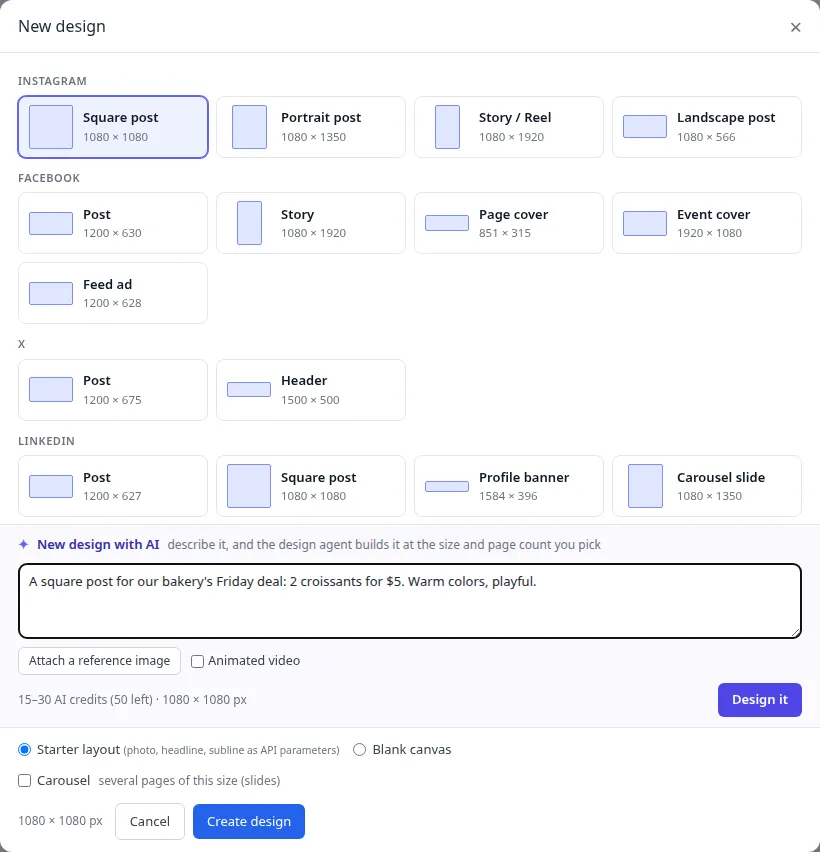
Describe the post, get a design
Pick a size, such as an Instagram square post or a LinkedIn carousel, and describe what it's for. Attach a screenshot of a look you like, or tick Animated video for a post that moves.
- Posts, stories, carousels and more
- Reference images of a look you like
- A new design costs 15 to 30 AI credits
Change it in plain words
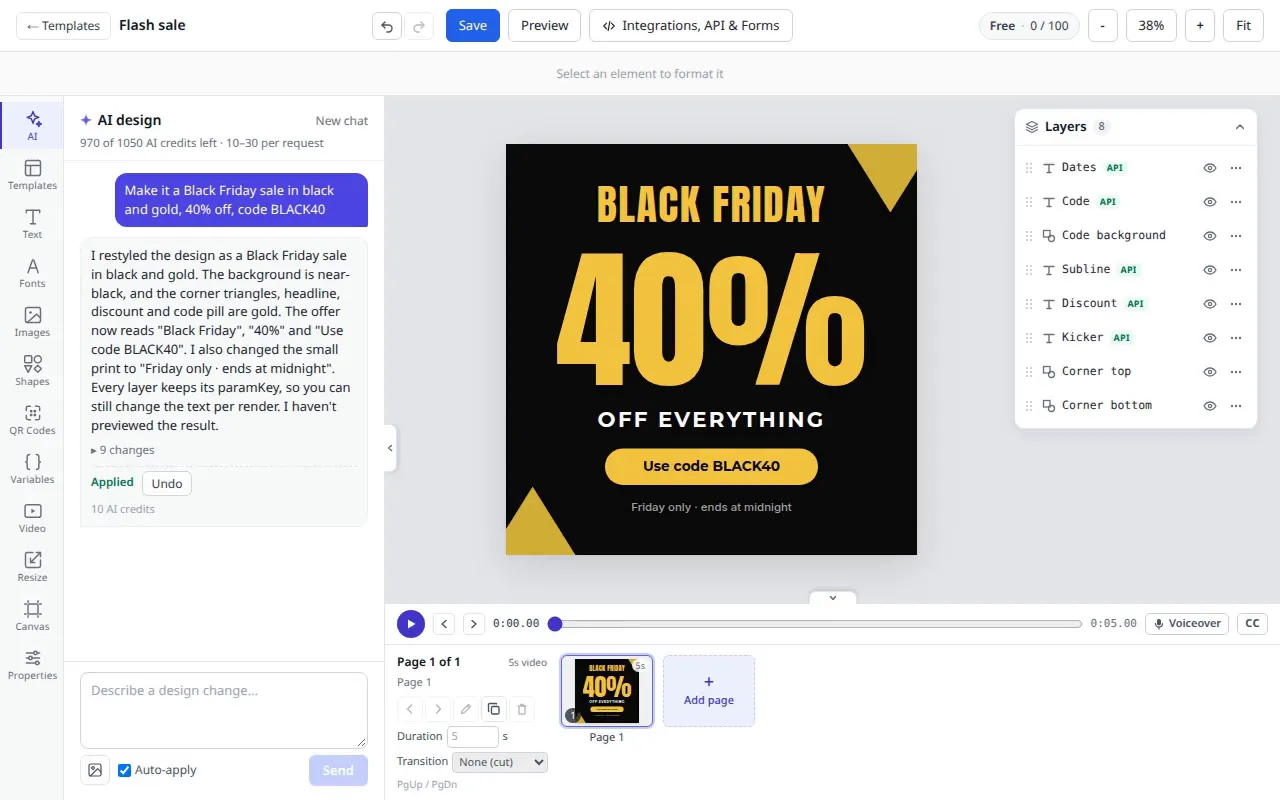
Open the editor's AI tab and ask for a change: “Make it a Black Friday sale in black and gold, 40% off, code BLACK40.” Each request is one step you can undo.
- Select a layer and say “make this bigger”
- Edit any layer by hand as well
- A change costs 10 to 30 AI credits
Variations, carousels and video
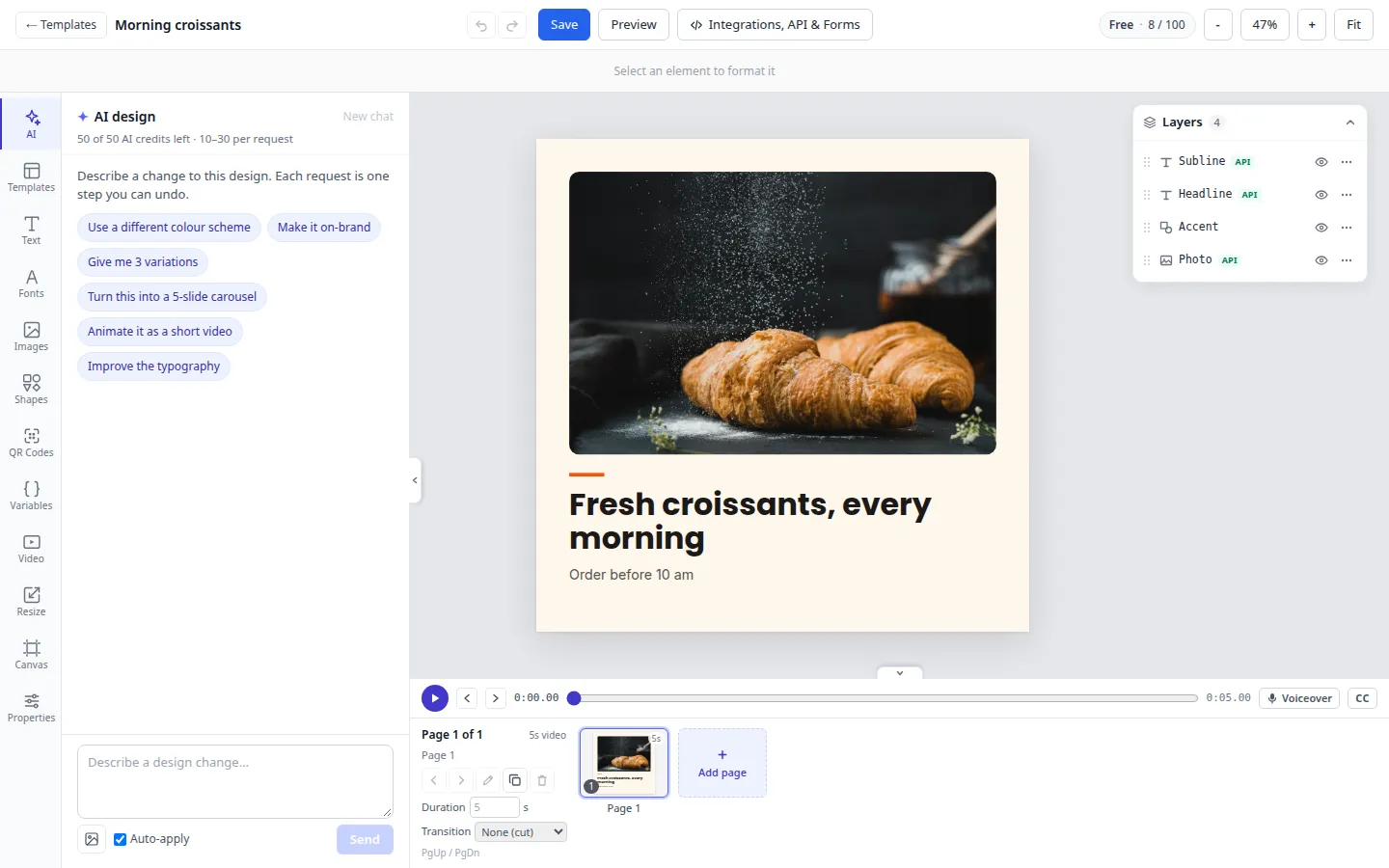
Ask for 3 variations and keep the one you like, turn a post into a 5-slide carousel, or animate it as a short video.
- Up to 4 variations per request
- Save a variation as its own template
- MP4 video for Reels, TikTok and Shorts
Everything included
Everything you get
In the editor
- New design with AI at any size
- The AI tab for changes and variations
- Brand library: colors, fonts and logos
- AI images and background removal
In the API
- Render the AI's design with new text
- Render and post in one call
- Schedule with a time zone
- AI text layers filled at render time
With AI agents
- Claude and ChatGPT connect through the MCP server
- render_template fills any template from a chat
- The design agent drafts new templates
- publish_post schedules the result
Use cases
Who uses it for what
-
On-brand content for every client, at scale.
Learn more -
Carousels, quote cards and thumbnails.
Learn more -
Daily specials, menus and promos.
Learn more -
Give your AI agent an on-brand design tool.
Learn more
Keep reading
More on AI social media post generator
-
Docs
Every step of New design with AI and the editor's AI tab, with tips for good requests.
Learn more -
Guide
Ask an AI assistant for this week's posts and get them in your own templates.
Learn more -
Guide
Schedulers, workflow tools and design tools, with prices and free plans.
Learn more
Questions
AI social media post generator: common questions
Is the AI social media post generator free?
Does it use my brand?
Can I edit what the AI makes?
Does it write the caption too?
Which networks can I post to?
What if a request goes wrong?
More ways to use JamFrame
-
On-brand images from your templates, by API.
Learn more -
Multi-page PDFs from templates you design.
Learn more -
Web banners and ads in every size at once.
Learn more
Make your first render in minutes.
Pick a template from the library, connect a source and make your first post in minutes.